Category: Productions

  • Why a Blackmagic Videohub 40×40 12G Sits at the Center of Our Live Production Workflow

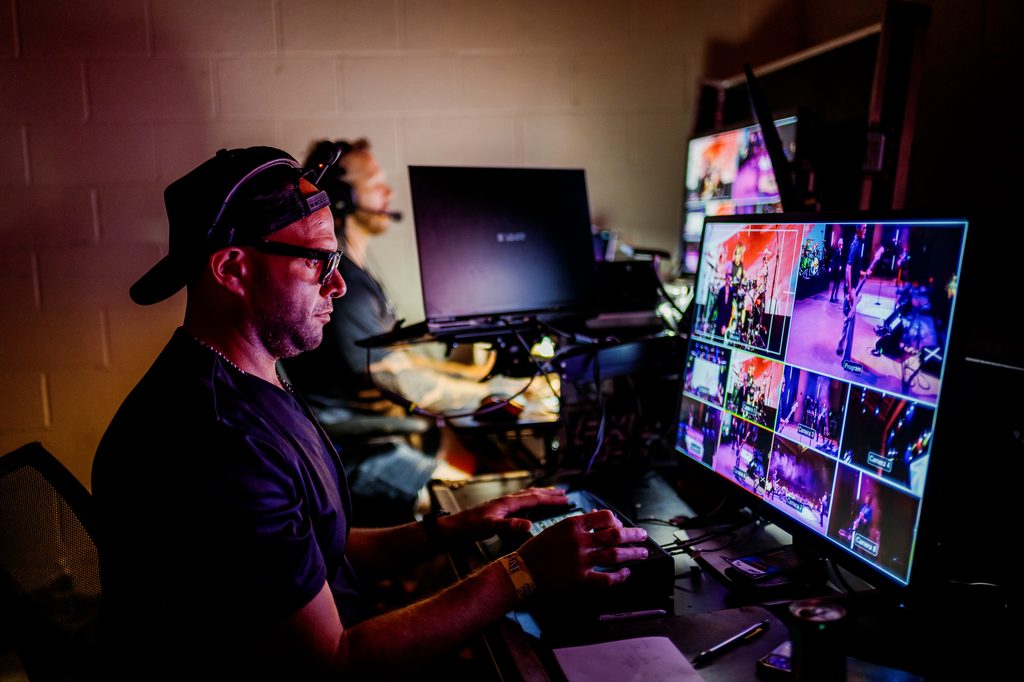
    Every live production has the same hidden problem. Cameras, recorders, switchers, monitors, and encoders all need to talk to each other, and the cables between them rarely stay where you left them. We’ve been running a Blackmagic Videohub 40×40 12G in our control center for a few weeks now, and it has quickly become a central piece of how we work at Phierce Productions.

    In our latest video, we break down the setup process, the software, and the core routing functions we rely on during real shows.

    What a Video Router Actually Does

    A router is a simple idea. Any input can be sent to any output, and you change those connections with a button press instead of a cable swap. On a busy show, that means a camera feed can move from one destination to another in seconds, with no one crawling behind or inside a rack.

    That speed matters most when something changes mid-event. A recorder needs a different source. A monitor needs a new feed. With a router, those are quick routing changes instead of physical ones.

    Real Client Work: Changing What Feeds Our Recorders in Seconds

    The best example from our own workflow is our HyperDeck recorders. Before the Videohub, changing what a recorder was capturing meant re-patching cables. Now we change it in a matter of seconds, right from the control center. That’s the kind of practical gain we focus on in the video, rather than just talking about specs on paper.
    The Blackmagic Videohub 40×40 12G at a Glance

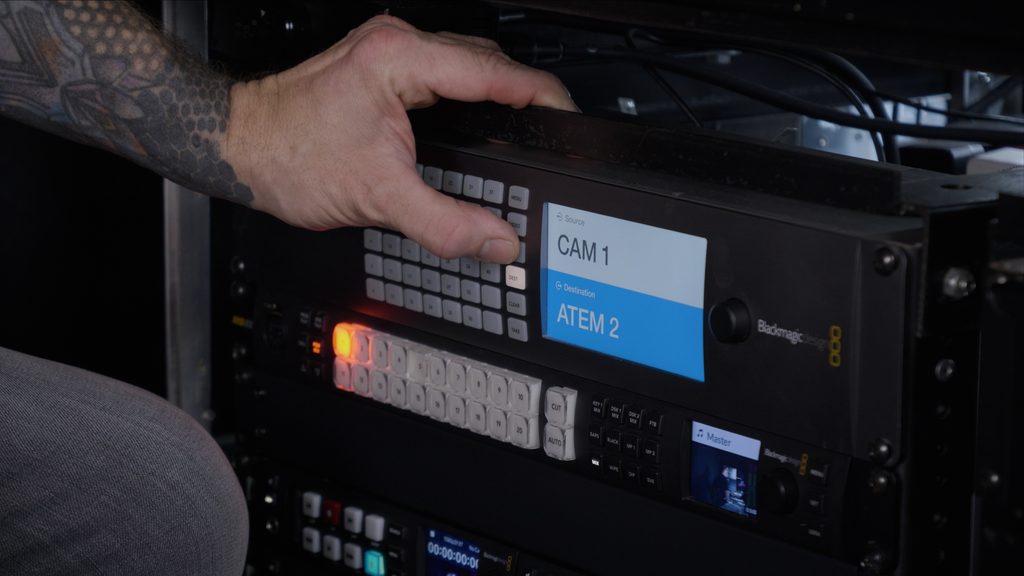
    The model we use is the 40×40 12G. Here’s what makes it a fit for live event work:

    • 40 inputs and 40 outputs, which gives us room to grow as shows get bigger
    • 12G-SDI support, so it handles SD, HD, and Ultra HD signals, even mixed together on the same router
    • Zero-latency routing, so a route change never adds delay to a live signal
    • Reclocked SDI outputs, which help keep signals clean
    • Reference input for tri-sync or black burst
    • Ethernet and USB-C connections, plus free software control for Mac and Windows
    • Crosspoint memory through power loss, so routes are restored instantly at power-on
    • 2RU footprint, which matters when rack space is tight

    Setup and Software Walkthrough

    The video covers the tools we use most, in the order you’d actually use them:

    • Connections and I/O: a look at the physical layout and how signals come in and go out
    • Routing from the front panel: quick changes directly on the unit, no computer required
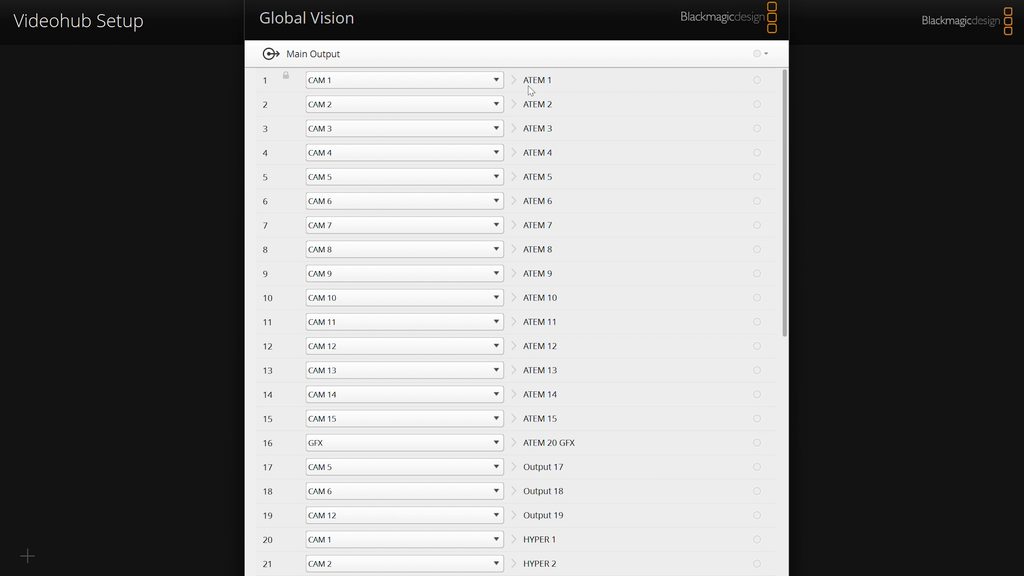
    • Naming inputs and outputs in Videohub Setup: clear labels like camera names and recorder feeds, so nobody has to remember which number is which
    • Switching routes in Videohub Control: the software we use day to day to change what goes where
    Who It’s For

    If you’re building out a control room, a fly pack, or a broadcast trailer, a router gives you flexibility that a fixed cable layout never will. The same goes if you simply want more freedom in your signal flow. If you only run a few cameras into a single switcher, you may not need one yet. However, once you add recorders, multiple destinations, or several operators, the time saved adds up quickly.

    Clients never see the router. They see cinematic-quality video on the screens and a stream that holds up. That reliability comes from a rig that’s organized, predictable, and fast to change.

    Watch the Full Video

    The video shows all of this in action, including how the Videohub fits into the rest of our gear. If you have questions about the Videohub, want more tutorials, or want a deeper dive into specific features and workflows, drop them in the comments on the video.

    Learn more about the router on the Blackmagic Design Videohub product page.

    Phierce Productions is a boutique, full-service production company based in Nashville, focused on live cinematography, live broadcasting, and high-end event production for clients across Tennessee, Indiana, and coast to coast.
  • Canon RC-IP1000 Controller: What We Use On Set

    Canon RC-IP1000 Controller: What We Use On Set

    Canon RC-IP1000 Controller: What It’s Like On a Real Production

    Most gear reviews talk specs on paper. This one comes from the field. In this video, we break down the Canon RC-IP1000 controller the way we actually use it: on live broadcasts, corporate productions, concerts, and multi-camera event coverage with Phierce Productions.

    Why We Use a Dedicated PTZ Controller

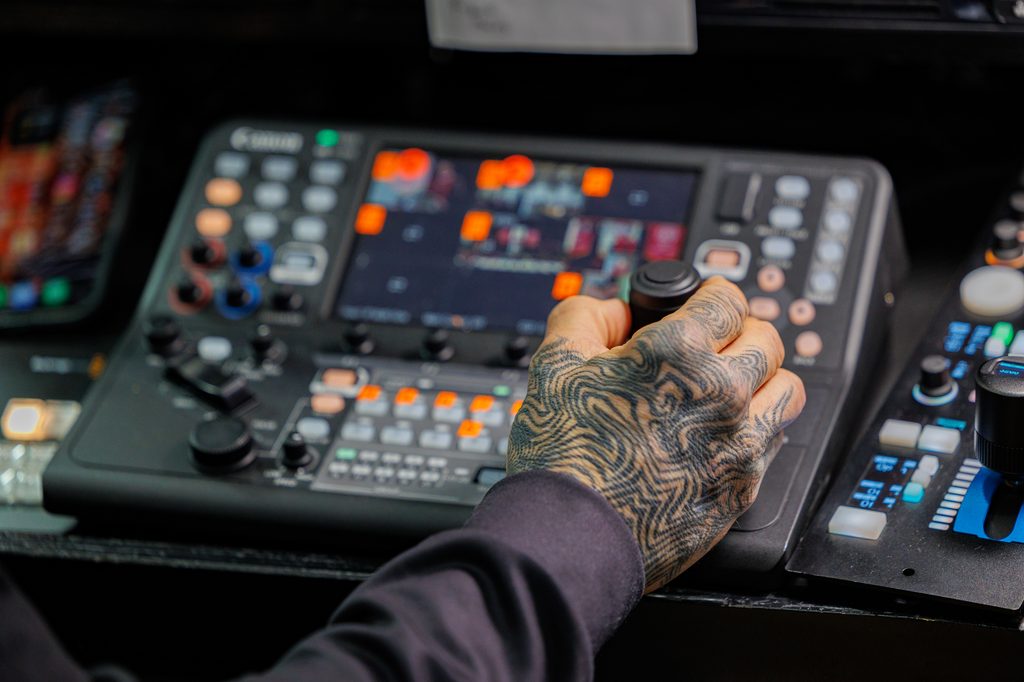
    Running PTZ cameras without a dedicated controller means juggling software, laptops, and unreliable connections in the middle of a live show. That’s not something we’re willing to risk. The RC-IP1000 gives us a single, purpose-built hub for controlling every PTZ camera on set, without needing a PC in the signal chain.

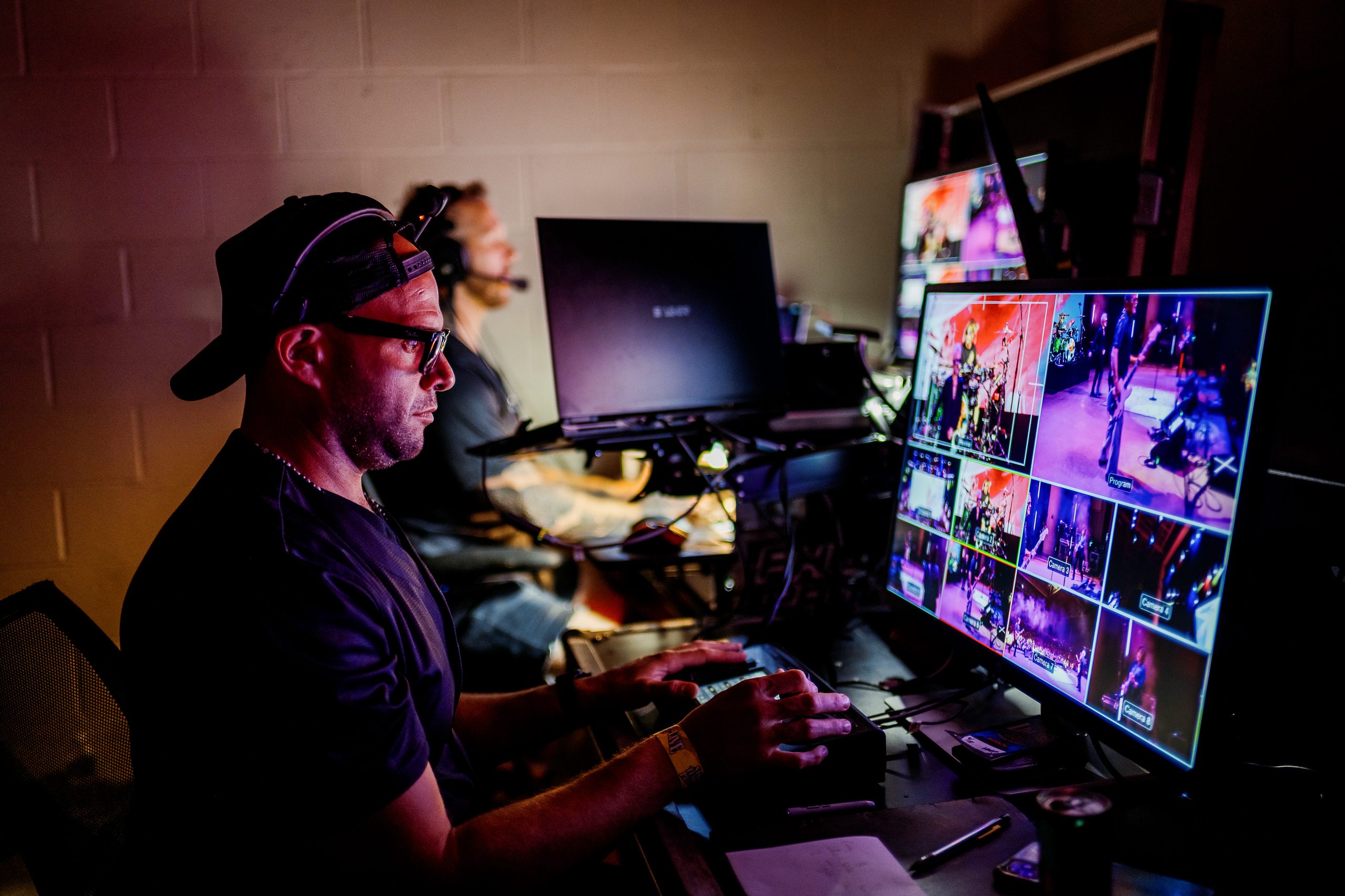
    The controller can manage up to 200 cameras over IP, which sounds like overkill until you’re running a multi-camera event and need the headroom to add angles on the fly. A 7-inch touchscreen sits at the center, showing live feeds and menus, and it supports viewing up to nine camera feeds at once in a 3×3 layout. When you’re calling shots in real time, being able to glance at every angle in one place matters.

    Setup and Menu System

    In the video, we walk through the setup process from power-on to a working multi-camera configuration. Between the 42 buttons, 14 dials, and a full touchscreen menu, there’s a real learning curve the first time you sit down with it. But once it’s configured, the layout is built for speed: assignable buttons and dials mean the functions we reach for most on a shoot (iris, presets, white balance) are always one press away.

    We also cover:

    • Registering and grouping cameras without needing a laptop
    • Touch autofocus and how it interacts with Canon’s auto tracking features
    • Adjusting pan, tilt, and zoom speed for different shot types
    • Presets, and how we use them to move fast between fixed setups during a live show

    Why It’s Become Part of Our Workflow

    Reliability is the whole game in live production. There’s no take two during a graduation ceremony, a corporate keynote, or a concert broadcast. The RC-IP1000’s ergonomic joystick and dedicated hardware controls mean our operators aren’t hunting through software menus mid-show. Everything critical is a physical button or dial away, which cuts down on reaction time when a shot needs to change fast.

    Is It Worth the Investment?

    If you’re running a single PTZ camera for occasional use, the RC-IP1000 is probably more than you need. But for productions where speed, reliability, and multi-camera coordination are non-negotiable, like live broadcasts, corporate events, and concerts, it earns its place in the rig. We rely on it regularly for exactly that reason.

    Watch the full breakdown for the complete setup walkthrough and a closer look at how we integrate it into real client work. Got questions about the controller, or want a deeper dive into a specific feature? Drop them in the comments on the video.

    Phierce Productions is a boutique, full-service production company based in Nashville, focused on live cinematography, live broadcasting, and high-end event production for clients across Tennessee, Indiana, and coast to coast.
  • Indiana University Columbus Commencement Case Study

    Indiana University Columbus Commencement Case Study

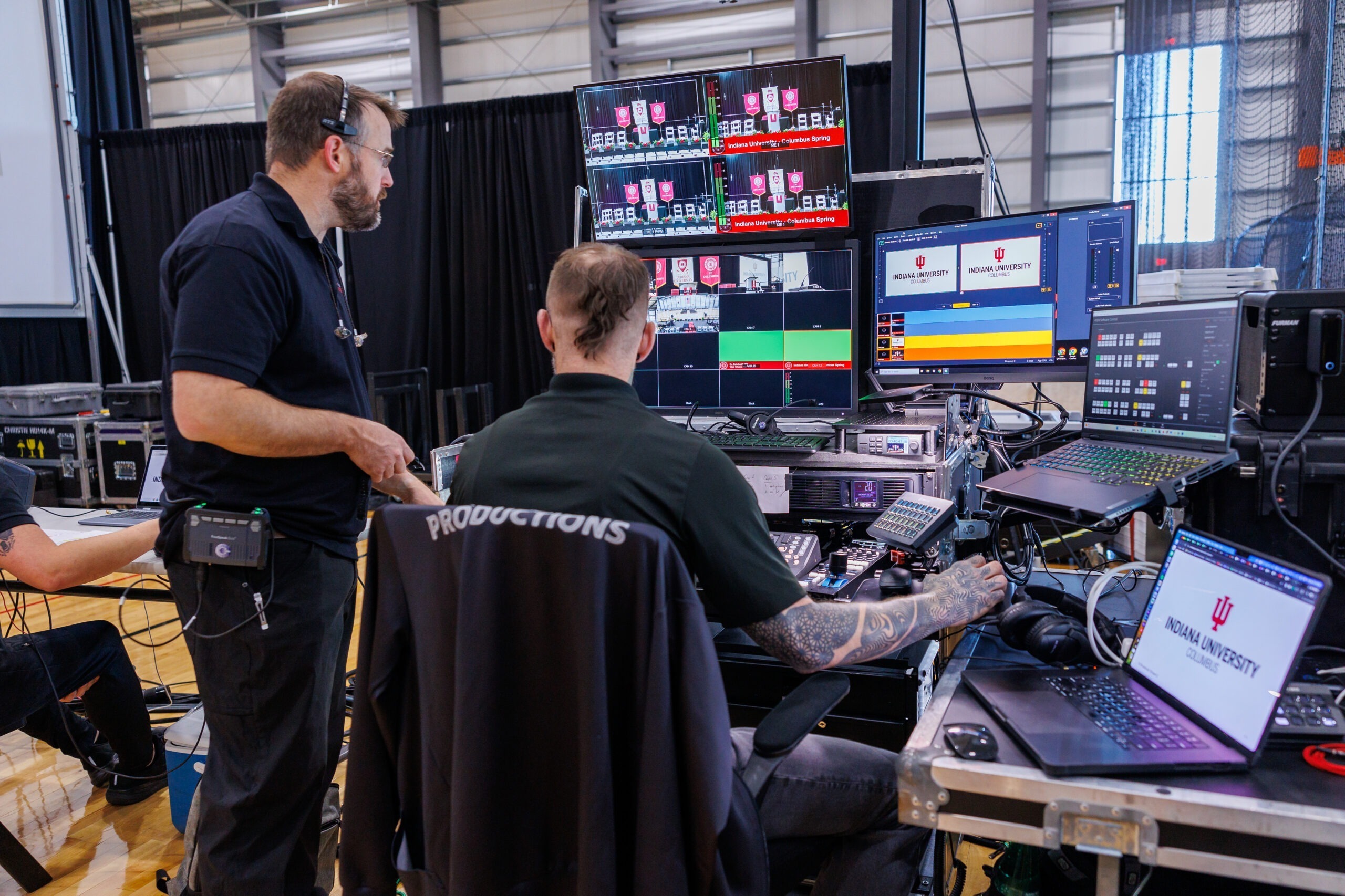
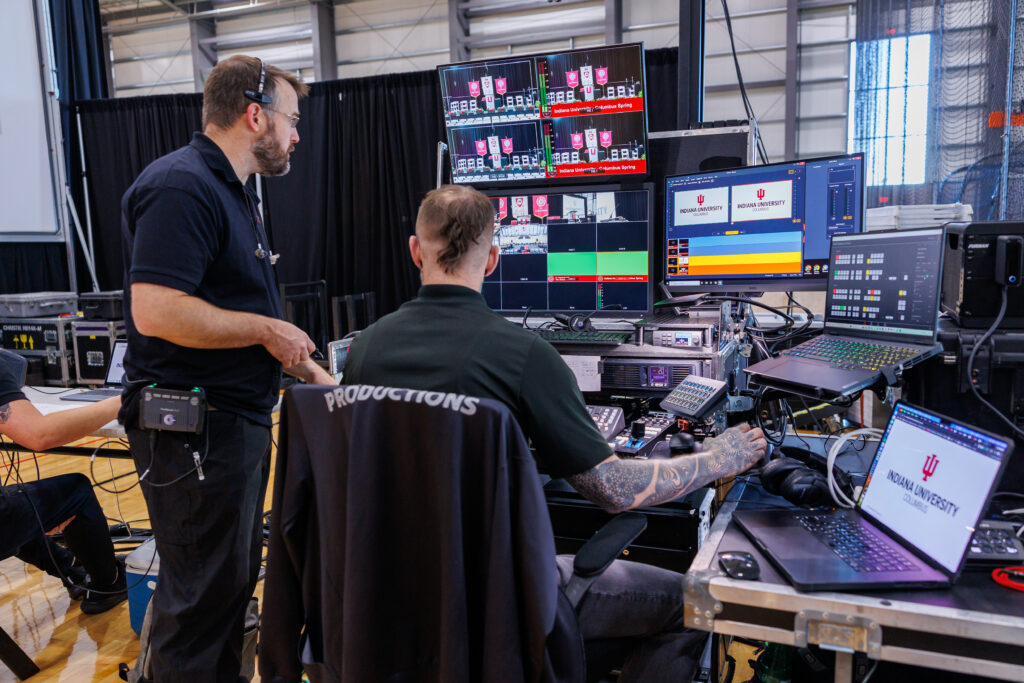
    Production Company staff discussing the events technology

    Client: Indiana University Columbus: Full-scale live event production. Outcome: Invited back for the 2027 ceremony before the event concluded.

    As a production company, Phierce Productions knows a commencement is unforgiving. There’s one shot to get it right. There’s no room for technical failure. Every family in the room is watching for one specific moment. So when IU Columbus needed a partner for their commencement, they needed more than a vendor. They needed a team that could deliver cinematic-quality video, clear audio, and a seamless experience for graduates, faculty, and families, all executed live, with zero re-dos.

    Why IU Columbus Chose a New Graduation Ceremony Production Company

    IU Columbus had used a large, established production company for prior ceremonies. For 2026, they brought in Phierce Productions instead. As a boutique production company, we produced the entire event from the ground up:

    • 6-camera multi-camera live broadcast, shot on a sharp cinematic camera system. Because of this, image quality went well beyond the standard “point and shoot” coverage typical of commencement broadcasts.
    • Creative camera placement that pushed past the conventional angles used in past years. As a result, the broadcast and IMAG feed had a more dynamic, produced feel.
    • Live streaming for remote family and friends unable to attend in person
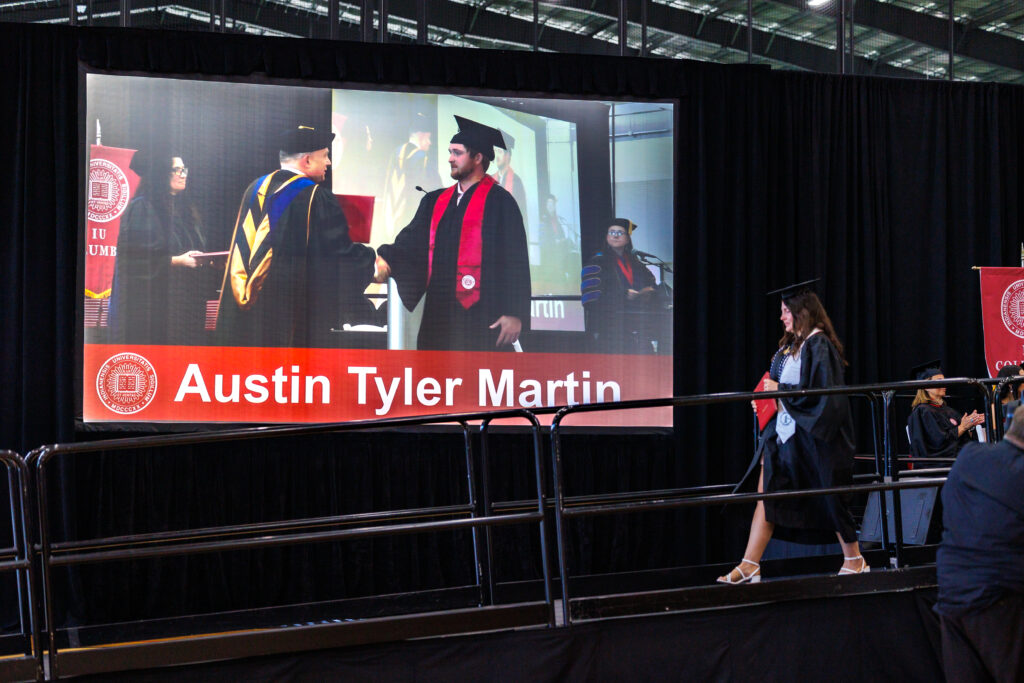
    • IMAG (image magnification) to screens throughout the venue, so every seat had a clear view of the stage
    • Full staging build-out, including projectors and screens
    • Complete venue setup, including chairs and seating
    • Live audio production, so every name, speech, and moment carried clearly through the room
    • Full event staffing, managing the technical and logistical execution from load-in to strike

    The Results: A Rebooking Before the Ceremony Even Ended

    On setup day, IU staff told our team directly that we were far ahead of the curve compared to their previous production company. This happened before a single camera had even rolled.

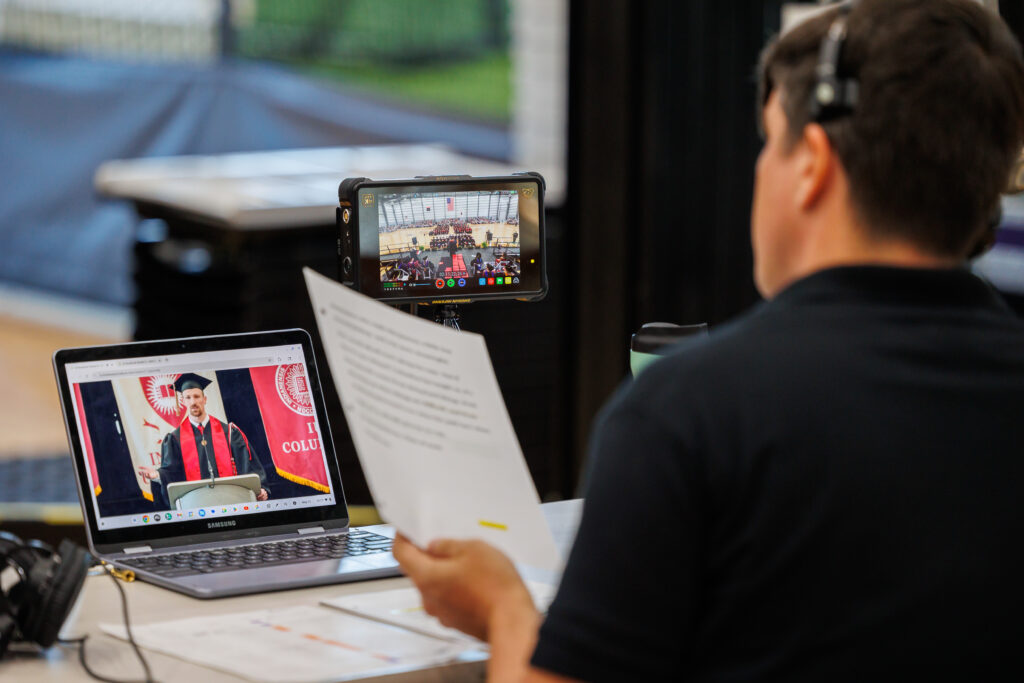
    The ceremony itself ran without a hitch. Six camera feeds cut live. Audio and video streamed cleanly. Every guest could see and hear the moment their graduate crossed the stage, all captured with noticeably sharper, more cinematic image quality than in prior years.

    Because of that performance, IU Columbus asked Phierce Productions to return for the 2027 commencement prior to the end of the commencement day.

    Production companies technical director going through the run of show

    A Long-Term Graduation Ceremony Production Partner, Not a One-Off Vendor

    We treat every long-term client relationship as something to keep improving, and IU Columbus is no exception. Instead of simply repeating what worked, we’re already looking ahead to 2027. Together with IU Columbus, we’re exploring how to develop further and elevate their graduation ceremony year over year.

    Why It Matters for Universities Choosing a Production Company

    Producing a university commencement takes the same discipline as any large-scale corporate event or convention. Live broadcast under pressure, multi-camera coordination, audience-facing screens, staging, and audio all have to come together in real time, with no second takes.

    What set Phierce Productions apart wasn’t just meeting that bar. It was exceeding it. Our boutique team, working directly and hands-on, outpaced a much larger incumbent production company on setup day alone. Then, we delivered a sharper, more creatively shot broadcast than the ceremony had ever seen. Because IU Columbus trusted us with that responsibility, the results earned a repeat booking on the spot.

    Students graduating and walking the stage

    Phierce Productions is a boutique, full-service production company based in Nashville, serving clients across Tennessee, Indiana, and coast to coast. As a production company and full-service event partner, we bring broadcast-level execution with the direct, hands-on attention of a boutique team.